Hair App-AI Hairstyle Try on
SmallUniverse AppsBeauty
2.4398.00 Reviews
- Version
- 12.4.7
- Installs
- 5.00M
- Age Rating
- Everyone
Screenshots
Our Review of Hair App-AI Hairstyle Try on
 Analysis by Appyee
I’d use a virtual hairstyle app as a starting point, not as a promise of what a salon result will look like. That distinction matters with Hair App-AI Hairstyle Try on: it’s designed to make experimenting feel quick and low-stakes, but a digital preview can’t replace a stylist’s advice about your hair’s texture, condition, or upkeep. I find it most useful when I have a particular change in mind and want to compare a few looks before deciding whether to book an appointment.
It is a free beauty app from SmallUniverse Apps, with optional in-app purchases ranging from $0.99 to $39.99 per item. Its average rating is 2.4 from around 11,000 ratings, while more than 5 million installs show that many people have tried it. I’d treat the rating as a reason to set measured expectations rather than assume every session will be smooth. The app is marked for Everyone, and its current version is 12.4.7.
A quick preview, not a salon consultation
The appeal is easy to understand: choosing a haircut from a reference photo is difficult when you can’t picture it on your own face. Trying several visual directions on one photo can help narrow the conversation. I’d compare broad choices first—short versus long, straight versus curly, subtle color versus a striking shade—before getting caught up in tiny differences between similar styles.
That approach is also a good way to keep the app’s results in perspective. A preview can help answer, “Do I like the idea of a shorter silhouette?” It cannot tell you whether a particular cut will sit the same way after washing, how much daily styling it needs, or whether a color will suit your current hair. I would take a saved image to a hair appointment as a reference, then ask the stylist what adjustments would make the look realistic for me.
How to get a more useful result
For a fair comparison, use a photo where your face is clearly visible and the lighting is even. Keep your expression and camera angle consistent while testing different looks; otherwise, a change in the picture itself can make one style seem better than another. If the first preview looks off, I’d try a different photo before deciding the hairstyle is the problem. Image quality and pose can make a noticeable difference in how convincing a virtual try-on feels.
I’d also save only the strongest few options instead of filling the gallery with every experiment. A short shortlist makes it easier to compare them later and show a stylist what you mean. When testing color, compare neighboring shades as well as dramatic ones: a modest change can be more useful for planning than jumping straight from your current look to an extreme hue.
Who will get the most out of it
This is best for curious users who enjoy visual experimentation, people preparing for a haircut consultation, or anyone who wants to test the general direction of a new look before making a commitment. It can also make a lighthearted activity with friends, especially if you agree to judge the overall shape rather than treating a digital image as a precise forecast.
I’d skip it if you need a dependable technical assessment of a cut, an accurate color match, or advice tailored to hair health. Someone deciding whether to make a major change may be better served by bringing reference images to a professional and discussing maintenance in person. Likewise, if you dislike editing photos or simply want straightforward inspiration, browsing hairstyle pictures may feel simpler than setting up a virtual preview.
Speed, stability, and practical expectations
The basic appeal is a short path from photo to experimentation, but I wouldn’t judge performance from a single successful try-on. A session that feels responsive on one device or image may feel less comfortable with another photo or during a longer stretch of testing. I’d start with one clear portrait, see whether the result is usable, and only then spend time comparing more styles. That keeps the experience low-friction and helps you decide early whether it suits your needs.
For heavier use, such as trying many cuts and colors in one sitting, take a moment to review your favorites as you go. That simple habit makes it easier to recover your best ideas if you close the app or lose track of a preview. I wouldn’t assume that every experiment will be worth keeping, so saving a small shortlist is more practical than relying on a long trail of tests. If the app becomes slow or a result looks incomplete, restarting with a fresh photo is a sensible first step rather than repeatedly editing the same image.
Device fit is worth checking before you download: the app requires Android 8.0 or later. If you use an older phone, that requirement may rule it out; if your device meets it, the camera or gallery workflow is still the part I’d test first. For long sessions, I’d also keep expectations modest about resource use, since repeated image work can feel different across devices. I wouldn’t choose this app on the assumption that it will be equally light or steady on every phone.
Getting Started with Hair App-AI Hairstyle Try on
First things first, downloading and setting up the app is a breeze. Whether you're on Android or iOS, simply head over to the Play Store or App Store, and you’ll find it ready to install. Once you've got it on your device, the onboarding process is pretty smooth. The app does a great job of guiding you through how to use its features, so even if you're not tech-savvy, you’ll find it easy peasy.
The interface is clean and intuitive. I’m talking big icons, clear instructions, and no annoying ads popping up every five seconds. It’s designed with the user in mind, making the whole experience enjoyable from the get-go.
Experiment with Hairstyles
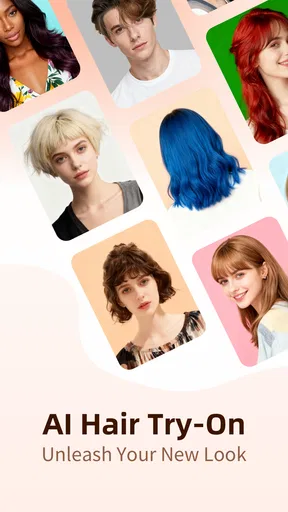
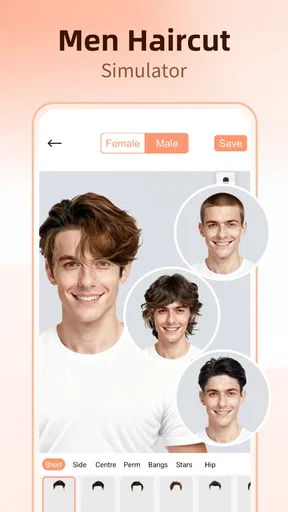
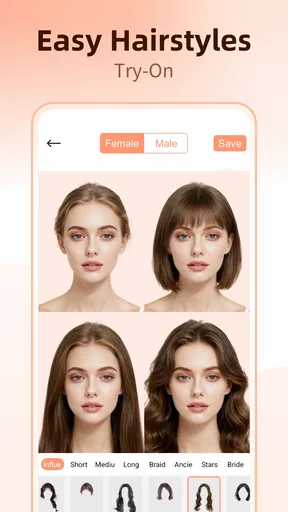
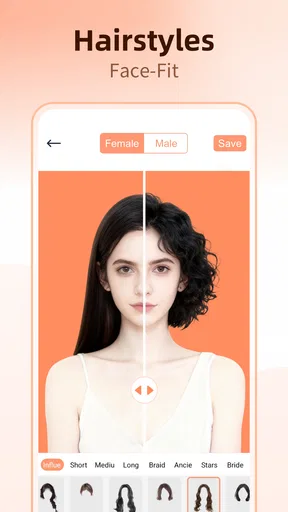
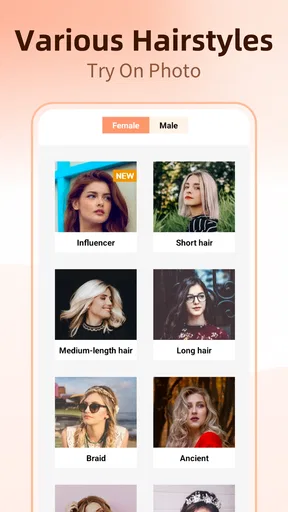
Now, onto the fun part—the hairstyles! The app uses some seriously cool AI technology to let you try on a variety of hairstyles. Whether you're looking for a simple bob, some beachy waves, or a daring pixie cut, this app has got you covered. You can filter styles by length, color, and occasion, which makes it super easy to find exactly what you're in the mood for.
Just snap a photo or upload one from your gallery, and the app does the rest. The AI is impressively accurate, mapping the styles to your face shape and features. I tried out a few different looks, and let me tell you, it was like having a virtual hair salon in my pocket. The results are realistic enough to give you a good idea of how you'd look with that new hairdo.
Features Worth Highlighting
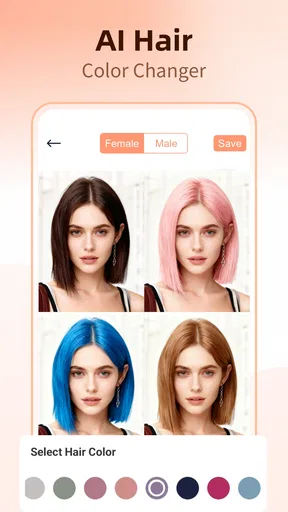
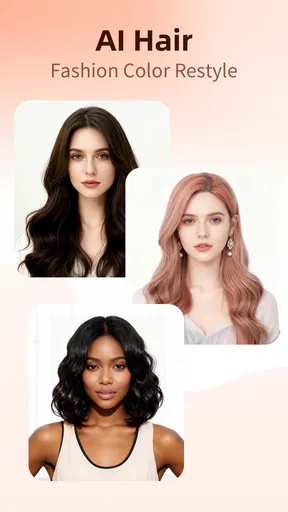
One of the standout features of the Hair App-AI Hairstyle Try on is its color customization. Not only can you try on different styles, but you can also tweak the hair color. From natural shades to bold hues, the options are endless. Want to know if you can pull off that fiery red or icy blonde? Now you can find out without a single drop of dye.
Another cool feature is the ability to save your favorite looks. This makes it super handy for those "I need to look fabulous" appointments with your hairstylist. Just pull up the app, show them your saved styles, and you're good to go.
Social Sharing and Community
In today’s world, everything’s about sharing, right? The app understands this and allows you to easily share your new looks on social media. Whether it's Instagram, Facebook, or Snapchat, you can show off your new virtual do’s to all your friends. It’s a great way to get opinions before making any permanent changes.
Plus, the app has a community feature where you can see what styles are trending among other users. It's like a mini social network for hairstyle enthusiasts. You can get inspired by others, share tips, or just browse for some hair inspo.
The Verdict
So, is this hair try-on app worth your time? Absolutely! It's a fun, engaging way to experiment with your look without any of the risks. The app is user-friendly, packed with features, and quite frankly, a bit addictive. Whether you're looking to find your next style or just want to have a bit of fun, this app delivers on all fronts.
Overall, it's an entertaining and innovative tool that can save you from potential hair disasters. So, go ahead, give it a whirl, and let your hair creativity flow!
Making the preview useful in everyday life
Imagine you have a haircut booked after work and only a vague idea of what you want. I’d use the app beforehand to build a small set of contrasting references: one safer option close to my current length, one noticeably shorter, and one style that changes the overall shape. That gives me something concrete to discuss without pretending the image has already settled the decision. It is a more useful appointment aid than arriving with a single edited picture and expecting an exact match.
There is a trade-off between experimentation and realism. A bold color can be fun to preview, but the screen image is not a reliable way to judge how dye will interact with your starting shade or what salon process might be involved. I’d use color changes to discover whether I like the general mood—warm, cool, dark, or vivid—then leave the technical color plan to a colorist. For cuts, I’d pay more attention to the outline and length than to fine details around individual strands.
Where it differs from browsing photos
Compared with searching for haircut inspiration online, a try-on tool makes the idea more personal by placing a style against your own portrait. That can make it easier to notice whether you prefer a fringe, a shorter outline, or more apparent volume. The usual alternative, however, often shows real hair in real lighting and can offer a better sense of texture and movement. I’d use both approaches together: the app to explore possibilities on my face, and reference photos to understand how a cut looks on actual hair.
It is also different from asking a stylist directly. A professional can account for your hair’s behavior and explain what is practical to maintain; an app is faster for casual visual trials but cannot replace that conversation. If your choice depends on a specific curl pattern, existing damage, or a precise color correction, I’d prioritize the salon discussion. The app is most valuable earlier in the process, when you are still deciding what direction you want to explore.
Free to try, with a purchase decision to make
Because the app is free to download but offers optional purchases, I’d explore the basic experience before spending anything. Try the photo workflow and see whether the results are relevant to the decision you’re making. If you are only curious about one haircut, there is little reason to buy more until you know you like the way the app works. In-app items range from under a dollar to nearly forty dollars, so it makes sense to check what a purchase covers before confirming it.
The user score is another reason to approach it as a tool to test rather than a guaranteed polished service. A 2.4 average from about 11,000 ratings suggests many users have had mixed experiences. That does not tell me exactly what will happen on your device, but it does make a cautious first session sensible: use one ordinary photo, try a couple of looks, and decide whether the output and workflow are good enough for you before investing more time or money.
My practical performance verdict
For me, the strongest case for this app is quick visual exploration, not constant use or salon-grade precision. Its hairstyle and color experiments can help turn a vague thought into a clearer preference, while saved looks can make a consultation more focused. The sensible limit is to treat each preview as a conversation starter. If image handling feels inconsistent on your phone, the app’s central benefit becomes less compelling, and a folder of real reference photos may be the easier option.
I’d recommend giving it a brief try if you are comfortable testing a photo-based beauty app and want a playful way to narrow down your next look. I would not rely on it to predict the exact result, replace professional guidance, or justify a costly purchase before you have tested the experience. Used with that balance in mind, it can be a handy first step between “I might change my hair” and knowing what questions to ask at the salon.
Verdict
Strengths of Hair App-AI Hairstyle Try on
- Wide variety of hairstyle options.
- User-friendly interface and navigation.
- Realistic AI-generated results.
- Quick processing time for style previews.
- No account required for basic features.
Limitations of Hair App-AI Hairstyle Try on
- Limited options in free version.
- Occasional app crashes reported.
- Requires strong internet connection.
- Ads can be intrusive at times.
- Some styles may look unrealistic.
Similar Picks in This Category
View All
Beauty Makeup Editor & Camera
Photo & Video Editors - Instant Solution4.7

Perfect365: Face Makeup Editor
Perfect365, Inc.3.5

Mirror Plus - HD Mirror app
Digitalchemy, LLC4.8

Cute Lock Screen & Wallpapers
Prometheus Interactive LLC4.6

HD Camera for Android
One Music Player4.5

Phone Mirror app - True Mirror
Cards4.6
Frequently Asked Questions
What is the Hair App-AI Hairstyle Try on?
The Hair App-AI Hairstyle Try on is an innovative application that allows users to experiment with different hairstyles using AI technology. By simply uploading a photo, the app provides realistic simulations of various hairstyles, helping users visualize potential looks before committing to a haircut or color change.
How accurate are the AI-generated hairstyles?
The AI technology in the Hair App-AI Hairstyle Try on is designed to produce highly realistic and accurate representations of hairstyles. While it provides a close approximation, results may vary depending on lighting, photo quality, and hair texture. Users should consider it a helpful tool rather than a definitive guide.
Is the Hair App-AI Hairstyle Try on app free to use?
The app offers a free version with basic features, allowing users to try a limited selection of hairstyles. However, to access the full range of styles and advanced features, a subscription or one-time purchase may be required. This allows the app to offer continuous updates and improvements.
Can I share my AI-generated hairstyle images?
Yes, the Hair App-AI Hairstyle Try on app includes easy sharing options. Users can share their new looks directly to social media platforms or save them to their devices. This feature makes it simple to get opinions from friends or share the transformation with your hair stylist.
Does the app support all hair types and lengths?
The app is designed to accommodate a wide variety of hair types and lengths. However, some styles may be better suited for specific textures or lengths. Users can experiment with different options to find styles that complement their natural hair characteristics.
